| .agents/skills | ||
| diagnostics/investigations | ||
| docs | ||
| scripts | ||
| src | ||
| tests | ||
| tools | ||
| .gitignore | ||
| bun.lock | ||
| DEBUGGING.md | ||
| justfile | ||
| package.json | ||
| README.md | ||
| RELEASE_NOTES.md | ||
| unstaged-changes.patch | ||


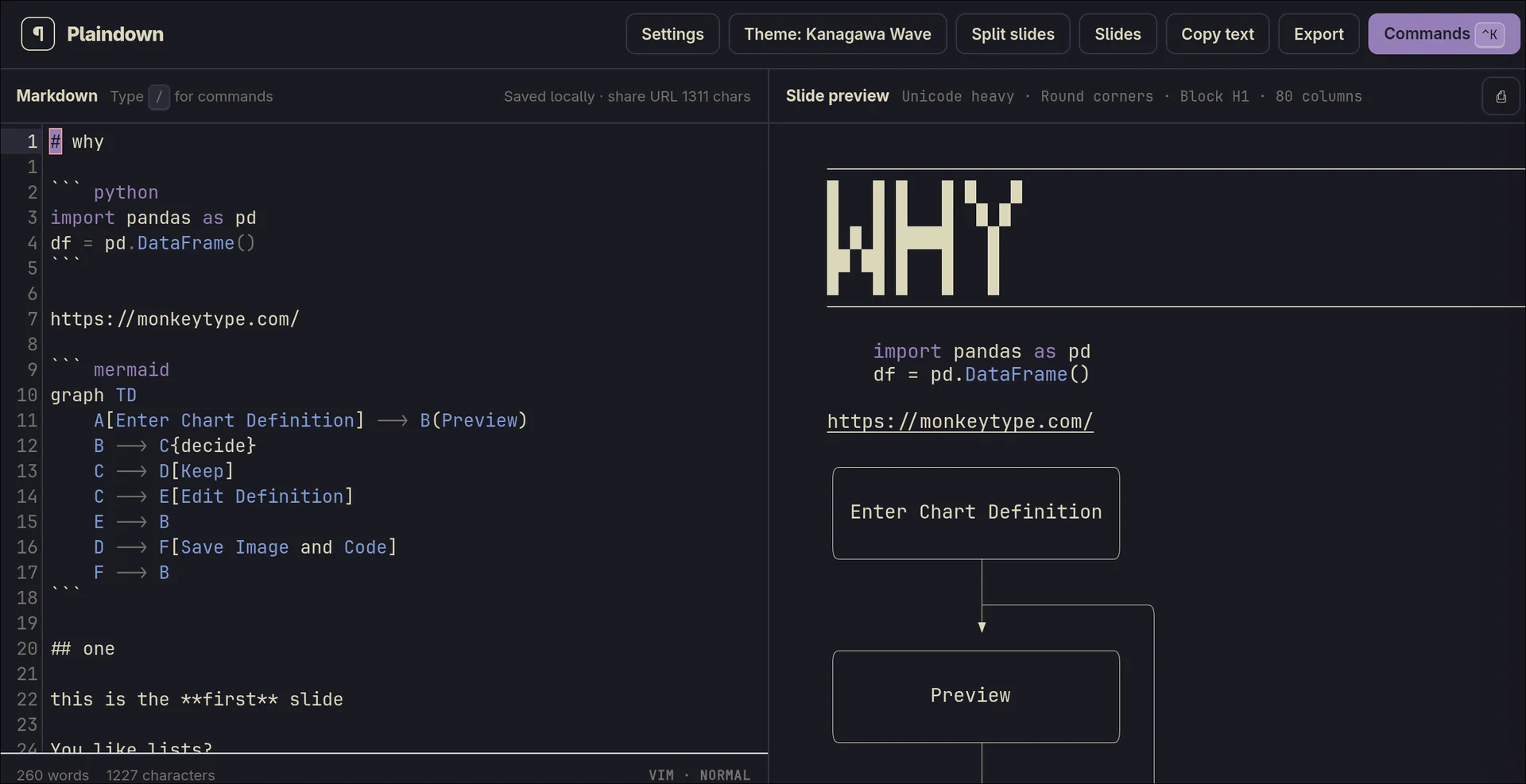
A no nonsense markdown to plain text editor with more features than anyone needs.
Repository credentials are managed in the Secret Vault. Use Add account to configure a named GitHub or Forgejo server account, including multiple accounts on the same host, then choose the matching account when opening or switching repositories. Tokens are kept in one encrypted Secret Vault protected by a vault master password. Use Unlock all once per browser session and Lock vault on shared devices.
Copy encrypted note copies a compact pdv3. vault note for a secure note in
your password manager. On supported mobile browsers, Share encrypted note
opens the system share sheet. Keep the vault master password separate; losing
it cannot be recovered by Plaindown.
Markdown autocomplete suggests frontmatter fields, tags, templates, wikilinks,
contacts, Markata-Go admonitions, the complete Nerd Fonts cheat-sheet catalog,
and the Unicode 17 fully-qualified emoji catalog. Type :degree to choose °,
or search names such as :nf-dev-python, :flag-united-states, or
:family-man-woman-girl-boy; plain Unicode symbols are preferred over emoji by
default.
The command palette also includes examples for Markata-Go extensions: glossary definitions, standalone YouTube URLs, internal and external embeds, definition lists, footnotes, collapsible admonitions, highlighted text, keyboard keys, and Markdown attributes. Source Markdown remains unchanged; cards and YouTube iframes are preview enhancements, while plain-text output keeps readable equivalents.
Headings also support ordinary semantic Markdown inline elements: **strong**,
_emphasis_, ==highlight==, `code`, links, and ~~deleted~~.
The active theme controls their heading treatment. The same syntax is intended
to render similarly in Markata-Go.
In repository mode, press ⌃⇧F or choose Search repository from the command palette to search titles, filenames, paths, headings, tags, and Markdown text. Results use the same parsed document model as the preview, run in a Web Worker, and update when local file content changes. A local inverted index makes body search candidate-based; metadata keeps lightweight fuzzy matching. The index stays in the browser and does not require a search server.
Plaindown can edit Markata-Go source-encrypted posts. Open the repository
encryption control (🔐) to save repository-bound
MARKATA_GO_ENCRYPTION_KEY_<NAME> values in an encrypted local .env editor.
Encrypted post bodies decrypt only in memory and are re-encrypted when saved.
When committing, private posts are also encrypted from the repository's
[markata-go.encryption] settings: private_tags selects tag-specific keys,
private: true uses default_key, and explicit frontmatter keys take
precedence.
You can choose Keep the vault unlocked on this device when unlocking. This
stores a device unlock key in the browser so the vault can reopen after a
restart; it does not store the credentials as plaintext. Use it only on a
device you control. Lock vault revokes that device trust.
Unlocking also keeps the vault available for the current browser session, so switching between saved workspaces does not require another unlock.
Preview admonition blocks accept any kind name, including !!! seealso and
custom hyphenated kinds.
Local-first PWA
Plaindown is installable as a phone PWA. Its app shell and previously opened repository files remain available offline, while repository drafts stay local until you explicitly commit them. The Workspaces button lists repositories opened in this browser and marks local dirty drafts. GitHub owner and repository names are normalized so capitalization variants do not create duplicate entries. Use the Workspaces manager to remove a cached workspace and its local drafts; this never changes the remote repository. The manager is also available from the command palette and with ⌃B W. While it is open, use ↑/↓ or j/k to move between workspaces.
A browser cannot discover arbitrary Git clones on a phone. Use the workspace launcher for browser-managed repositories, then sync through the forge when online. Updates wait for an explicit Reload action so an active editor is never silently switched to a mixed or stale application version.
Feed review
On a hard restart without a repository route, Plaindown opens a single-view startup dashboard instead of the split editor. It gathers recent files, working feeds, recently loaded Git changes, uncommitted local drafts, cached local workspaces, quick-new-file shortcuts, and a combined Content status list for Markdown marked draft: true or published: false. Content status includes date and word count, with button sorting by date or words and tag/template filters. Its heading opens a local synthetic feed, marked Local synthetic feed in the repository feed picker, so draft and unpublished posts can be surfed in the normal sidebar feed workflow. A Secret Vault panel shows setup, locked, and unlocked status without exposing credentials. Repository Markdown is scanned in the background after opening, so later starts can show status for the whole readable tree without delaying the initial editor. Use New file to choose a template; star templates in the repository template picker to pin them to that repository, and usage counts make frequently used templates available on later starts. Settings and theme controls can be opened over the dashboard without leaving it. The dashboard also keeps the file-finder map visible: ⌃P or Space f f finds files, while Space f r, Space f b, Space f d, Space f g, and Space f t open recent, buffer, changed, Git-history, and tree views.
In repository mode, the Feeds sidebar scans Markata-Go TOML feeds and lets
you choose a working feed. Use Ctrl-B f to choose a feed, Ctrl-B Ctrl-J or
Ctrl-B Ctrl-K to move through its posts, and Ctrl-B Ctrl-F to fuzzy-pick a
post. Press Ctrl-B Tab to focus the sidebar; repeat it to cycle Files,
Changes, and Feeds. While focused, j/k move one item, J/K move ten,
gg/G jump to the beginning or end, and Ctrl-F focuses the active filter.
Feed posts load as they are highlighted; Enter or Escape returns focus to
the editor without changing the current file. On mobile, use Find file in
the header to open the fuzzy repository file picker. Feed membership is evaluated locally, including unsaved changes, and
frontmatter metadata is cached by Git blob SHA for later sessions.
Repository file contents are persisted as they are opened. Plaindown does not
download every repository file during startup. It restores the local editor
first, then checks remote tree metadata after the cached check becomes stale.
Use Refresh repository in the command palette or ⌃B R to force a remote
check. If the active or locally edited file changed remotely, Plaindown keeps
the editor untouched and adds a footer action to compare the remote and current
versions. Choose Use remote, Keep mine, or defer the decision. Previously
opened stale content remains available when the network cannot fetch its newer
version.
The command palette includes Recent files. In Vim mode, use Space f r for
recent files, Space f f for the fuzzy file picker, and Space f b for files
opened as buffers during the current repository session.
Change review
Repository changes can be staged by file or by hunk. A hunk is one nearby group of edits; stage only the hunks that belong in the next save, while other edits remain local. Staged selections persist with the branch-local draft. Review all changes opens a full-screen, mobile-friendly review that scrolls through every dirty file. Unified and split views remain available before saving staged changes to the repository.
Pressing Save from the editor starts with the file currently open. Other changed files remain available in the review window and can be included before saving them together.
Vim history uses u to undo and Ctrl-r to redo. History is isolated per
document, and each history command leaves the editor in normal mode.
The file commands also include previous-file toggling, changed-file and tree pickers, persistent file pins, and buffer-closing actions. Git recent changes lists files from recent remote commits, including commits made by other contributors; it does not include uncommitted changes in another clone.